Most people on Zongio pick a song that is already there. This page is for when you want something of your own: a birthday, a thank-you, a little track with someone’s name on it.
You create the song, record the first bit, send the link. Family adds their part when they can. You merge. They get one video, not a chat full of files.
Here is one already on the site: Meli – Happy Birthday Grandpa!.
If you just want to sing along to a song in the catalog, use How to make a Zong instead.
1. Create the song
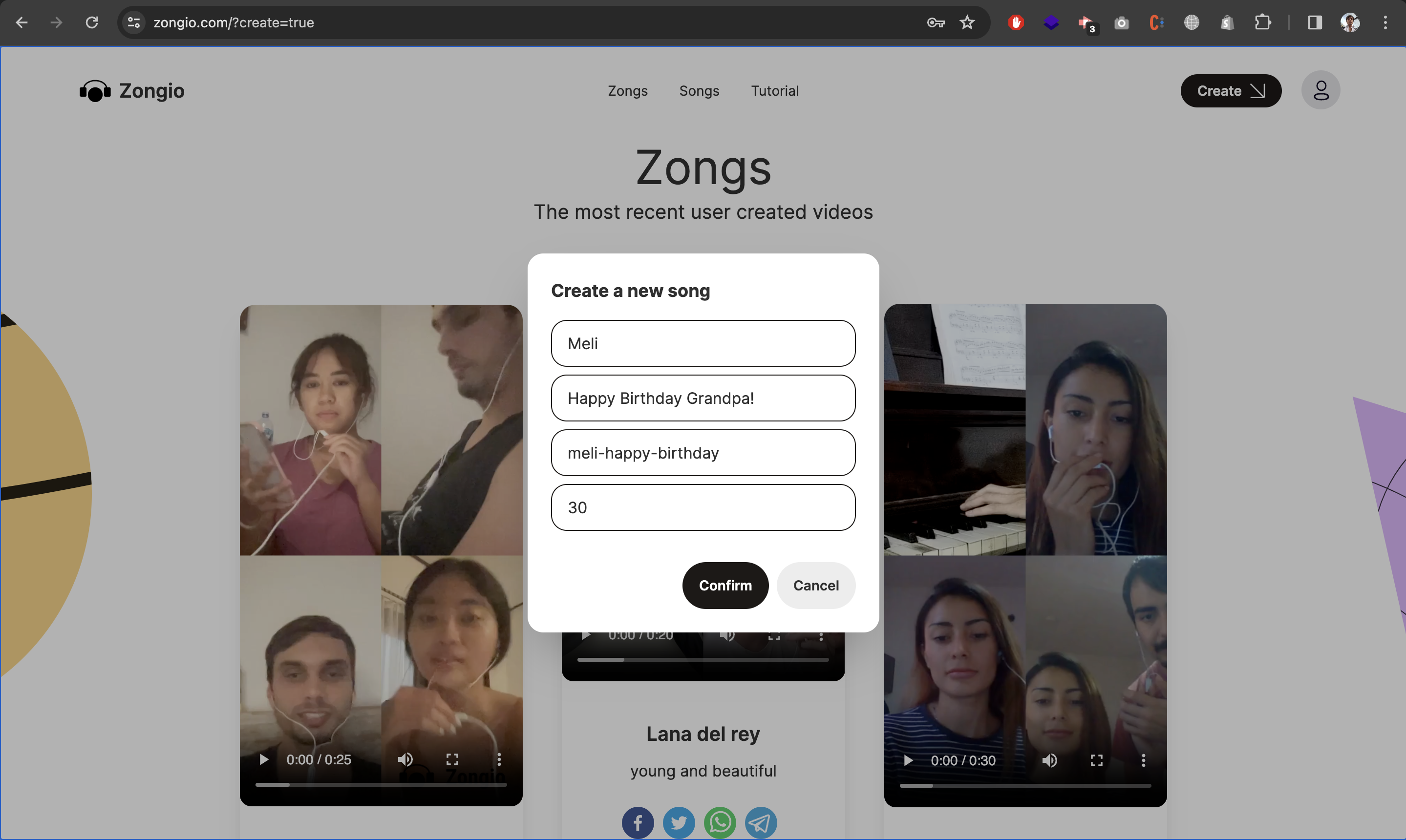
On the homepage, tap Create. You are naming something people will sing or play along to. Keep it obvious.
The Grandpa song used:
- Artist: Meli
- Song: Happy Birthday Grandpa!
- Slug: meli-happy-birthday → zongio.com/song/meli-happy-birthday
- Duration: 30 seconds
Short is easier on a phone. A readable slug is easier to text than a random id.
2. Record the first clip
Whoever goes first is the guide. Everyone else hears that clip in their headphones, so they stay together. Record in the browser, or import an MP4 shorter than the duration you set.
After that, the rest is the usual flow: pick, record, merge, including the 1x2 and 2x2 layouts.
Same steps, different occasion
Birthday. Put their name in the title. Keep it under a minute. Send the song link so cousins can pile on. Start from Happy Birthday Grandpa! or make a new one.
Mother’s Day or Father’s Day. A verse, a chorus, or twenty seconds of thank-you is plenty. They can be across town or across the world.
Grandparents. One person starts, others add from their phones. Camp and scout songs work the same way. Here is Scouts de France – Chant de la promesse.
Sister or brother. A private joke, a cover you both know, a tiny original. Create, share the link, merge when two or four parts are in.
When it is done
Send the Zong link if you want them to watch. Send the song link if someone still needs to record. Or jump into something that already exists in Songs.
Jams, stacked voices, or a portfolio: Ways to make music together.